
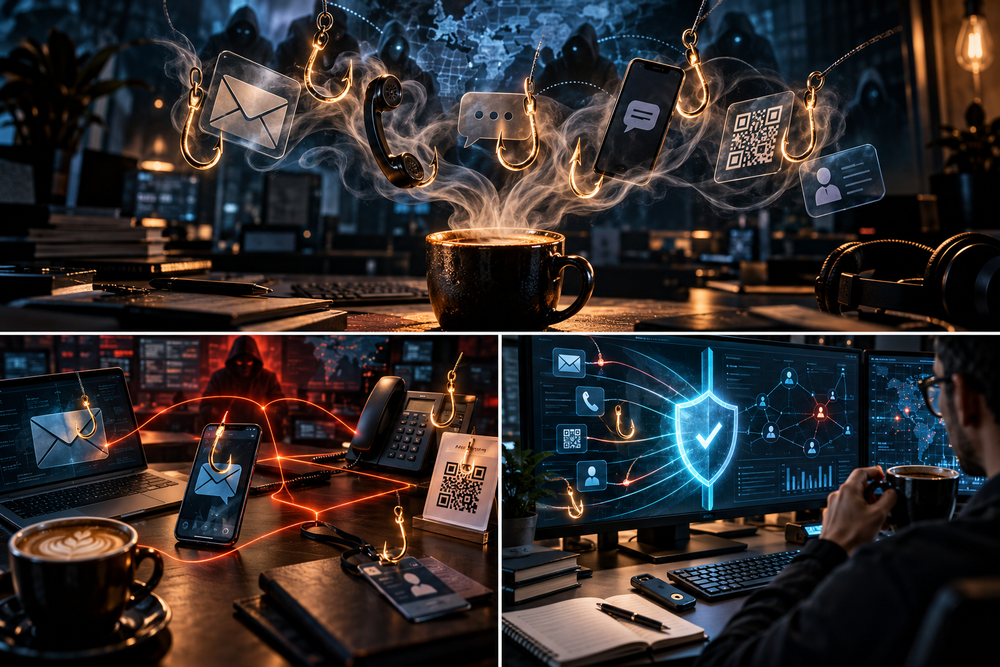
Phishing, Vishing, Smishing, and Every Other *-ishing: A Cybersecurity Brew Gone Wrong
Cybersecurity Awareness Month 2026 | Brewing Bytes & Beans
Your firewall is hardened, your EDR is humming, and your SIEM is ingesting logs like an engineer drinking coffee during a Sev-1 incident. Then someone from “IT Support” calls the help desk.
Three minutes later, the attacker has a password reset, a fresh MFA registration, and access to resources that took your security team six months to lock down.
Welcome to the wonderful world of -ishing, where adversaries have discovered that exploiting humans can be considerably cheaper than exploiting a zero-day.
For Cybersecurity Awareness Month, we're skipping the usual “don't click suspicious links” sermon. Security professionals have heard it enough times to recite it in their sleep.
Instead, we're examining the ever-expanding phishing family, the techniques behind modern campaigns, and why a correctly configured SPF record won't save you from someone politely asking your administrator to register a new authenticator.
Grab your coffee. Preferably one you brewed yourself, rather than one offered by a suspicious stranger with a QR code.
Love cybersecurity, networking, tech news, and an entirely reasonable dependence on coffee?
Pull up a chair, grab a mug, and join the community.
No spam. No nonsense. Just useful tech, questionable caffeine levels, and an unsubscribe button that actually works.
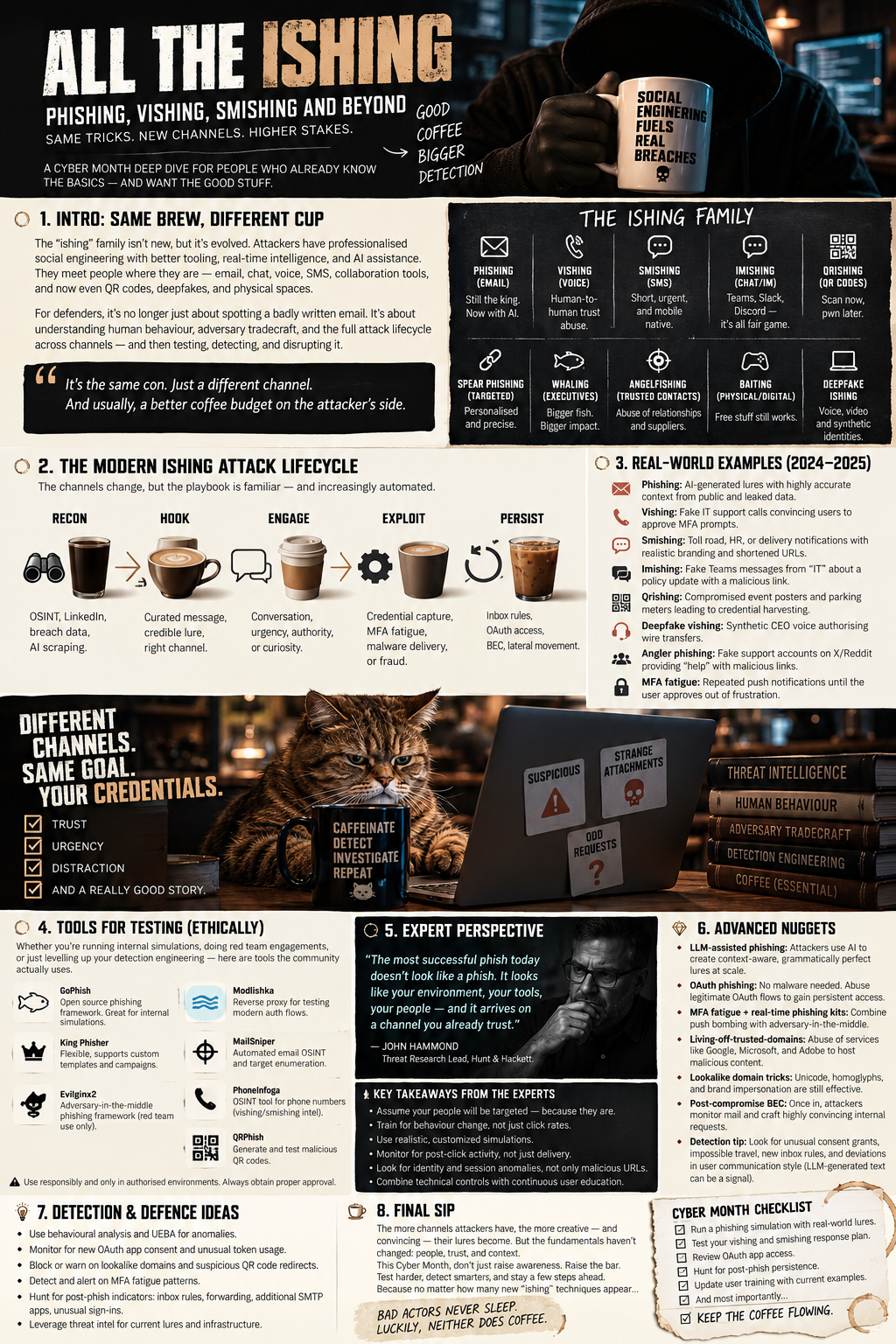
1. The *-ishing Family Tree: Everybody Wants Something
Phishing has evolved beyond fraudulent emails from royalty offering suspiciously generous inheritances.
Today's campaigns combine identity reconnaissance, legitimate cloud infrastructure, authentication workflow abuse, and increasingly convincing social engineering.
Here's the menu.
| Technique | Attack surface | Primary objective |
|---|---|---|
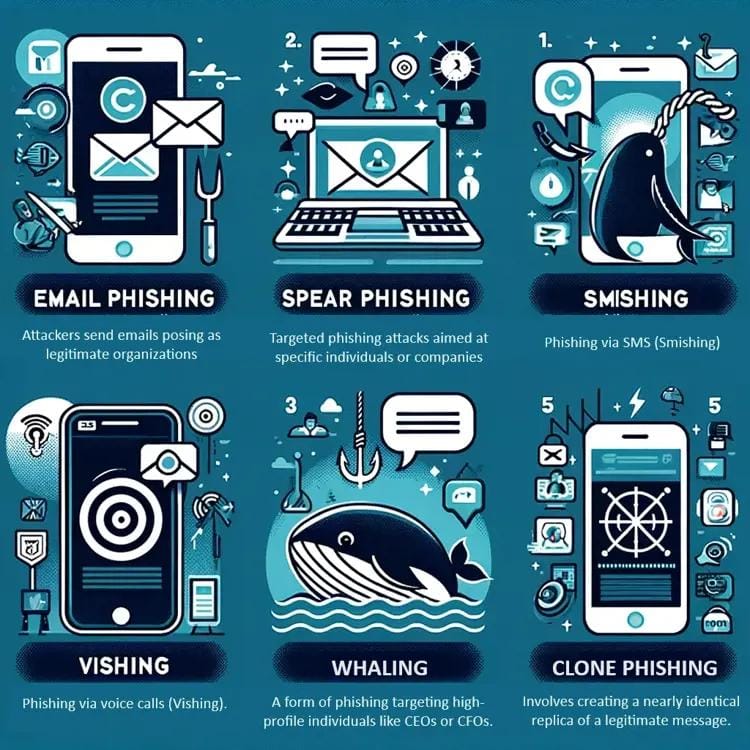
| Phishing | Credentials, malware, access | |
| Spear phishing | Targeted email | Specific users or systems |
| Whaling | Executives and VIPs | High-value access, fraud |
| Smishing | SMS and messaging | Credentials, device compromise |
| Vishing | Voice calls | Help-desk manipulation, MFA compromise |
| Quishing | QR codes | Redirect users to malicious destinations |
| Angler phishing | Social media support interactions | Impersonation and account takeover |
| Clone phishing | Copied legitimate messages | Abuse established credibility |
| Search-engine phishing | Search results and advertisements | Redirect users to counterfeit services |
| OAuth consent phishing | Cloud application authorization | Obtain delegated application access |
A quick technical distinction: some of these are established attack classifications; others are industry shorthand or delivery-specific names. They aren't separate MITRE ATT&CK techniques simply because somebody invented another word ending in “ishing.”
MITRE ATT&CK tracks phishing under T1566, including attachments, links, third-party services, and voice-based attacks.
The interesting part isn't what we call an attack.
It's what trust boundary the attacker crosses.
2. Vishing: When Your Help Desk Becomes the Attack Surface
Voice phishing is particularly dangerous because it can bypass technical controls designed around email.
An attacker doesn't necessarily need to defeat your identity provider. They may only need to convince someone authorized to administer it.
Consider a common scenario:
An attacker researches an employee using publicly available information. They call the help desk, impersonate that employee, claim their phone was replaced, and request assistance resetting MFA.
If verification depends on information the attacker can research—or on the caller sounding sufficiently convincing—the organization's authentication security becomes whatever the help-desk workflow permits.
Groups such as Scattered Spider have demonstrated the operational significance of voice-based social engineering and identity recovery abuse.
Advanced nugget: MFA reset is effectively a privileged identity operation.
Security teams should consider:
- Strong, independent identity verification for credential and authenticator recovery.
- Separate approval or escalation requirements for privileged identities.
- Alerts on authentication-method registration following password resets.
- Correlation between help-desk tickets, authenticator changes, and new-device sign-ins.
- Restrictions on who can register new authentication methods.
Don't assume caller ID is an identity verification mechanism. It isn't.
And voice cloning raises the stakes even further: recognizing somebody's voice should not be the authorization step for changing their account security.
Your espresso machine probably requires more independent verification before allowing a firmware update.
3. Smishing, Quishing, and the Great Mobile Blind Spot
Attackers love shifting victims away from managed endpoints.
An email delivered to a corporate inbox might encounter attachment scanning, URL rewriting, threat intelligence, and post-delivery remediation.
A QR code displayed on a conference poster may send an employee straight to a personal phone.
That phone might not have equivalent enterprise protections, visibility, or logging.
The QR-code problem
QR codes aren't inherently malicious. They're simply an encoding mechanism that allows a printed or digital object to initiate an action.
The danger is the trust users place in the surrounding context.
A QR code on an office noticeboard, parking sign, conference badge, or shared PDF can appear legitimate while leading somewhere entirely different.
And when the destination opens on an unmanaged device, your SOC may have little telemetry to work with.
Advanced nugget: measure where your detection coverage ends.
When conducting authorized QR-phishing simulations, determine whether your controls capture the original message, decode embedded URLs, inspect the resulting destination, and associate the eventual authentication event with the initial lure.
Microsoft Defender for Office 365 Attack Simulation Training supports QR-code simulation payloads, making this a particularly relevant validation exercise.
Smishing presents similar challenges, especially when messages create urgency around account verification, deliveries, or payroll.
The real issue isn't the SMS.
It's that your incident-response visibility often stops at the boundary between corporate and personal technology.
4. Adversary-in-the-Middle Phishing: MFA Isn't a Magic Shield
A conventional phishing page steals passwords.
Modern adversary-in-the-middle (AiTM) attacks can relay a victim's authentication flow through attacker-controlled infrastructure and, under certain conditions, capture authenticated session material.
That distinction matters.
An employee might complete a genuine MFA challenge while an attacker intermediates the session. If reusable session cookies or tokens are compromised, the attacker may be able to access the account without repeating the original authentication challenge.
This does not mean all MFA is useless.
It means not all MFA provides equivalent resistance to phishing.
What actually raises the bar?
FIDO2/WebAuthn passkeys and security keys provide phishing resistance through mechanisms including origin-bound authentication.
By contrast, one-time passwords and manually approved push notifications don't provide that same origin-bound protection.
For mature identity programs, the goal should be to combine phishing-resistant authentication with device and session controls, token protection where supported, sensible session lifetimes, and continuous monitoring.
Advanced nugget: successful MFA does not prove the resulting session is trustworthy.
Investigate suspicious combinations such as:
- Authentication succeeded, followed by anomalous session activity.
- A newly observed device accessing sensitive applications.
- Unexpected authentication-method changes.
- Unusual mailbox rule creation or mass file access.
- New OAuth grants appearing around the same period.
A green MFA-success event isn't a universal certificate of innocence.
It's merely one part of the authentication story.
5. OAuth Consent and Device-Code Phishing: No Password Required
Some of the most interesting phishing attacks target authorization rather than authentication.
OAuth consent phishing persuades users to authorize a malicious or compromised application to access organizational resources.
Depending on permissions, tenant configuration, and the authorization granted, the attacker may gain access without needing the user's password.
Device-code phishing takes a different approach.
It abuses a legitimate device authorization workflow by persuading the victim to enter a code or complete a sign-in associated with the attacker's authorization session.
The login page can be legitimate.
The authorization context is the trap.
This is why URL reputation alone is insufficient. A legitimate identity-provider domain isn't proof that the user-initiated workflow is safe.
Advanced nugget: validate the complete authorization chain.
Review application consent policies, user-consent restrictions, verified publisher requirements, service principal creation, delegated permissions, and audit events involving suspicious consent grants.
An identity-centric detection strategy should look beyond failed passwords and blocked sign-ins.
Sometimes the attacker walks through the front door with a permission slip.
6. Testing Your Defences Without Accidentally Becoming the Incident
A phishing program should test whether preventive, detective, and responsive controls work—not merely count how many users click a link.
Here are tools worth keeping in the defensive laboratory.
| Tool | Practical use |
|---|---|
| GoPhish | Authorized phishing simulations and campaign metrics |
| Microsoft Attack Simulation Training | Microsoft 365 integrated simulation and training |
| King Phisher | Customizable phishing-awareness testing framework; assess maintenance before deployment |
| MXToolbox | Inspect DNS and mail authentication configuration |
| dmarcian | Analyze DMARC configuration and reporting |
| urlscan.io | Investigate suspicious web infrastructure |
| CyberChef | Decode suspicious URLs, encodings, and message artifacts |
| Wireshark | Inspect network behavior in controlled labs |
| MITRE ATT&CK | Map delivery, execution, and identity-abuse techniques |
A few precautions: run simulations only with explicit organizational authorization, avoid collecting actual passwords, and use synthetic credentials or non-sensitive landing pages. Check the privacy of uploaded samples and URLs before submitting anything to third-party analysis services.
A useful purple-team exercise
Instead of measuring one phishing email's click rate, simulate a multi-stage scenario in an isolated environment:
- Deliver an authorized benign phishing lure.
- Record the email security stack's detection and response.
- Redirect to a controlled landing page that captures no real credentials.
- Generate a synthetic identity-risk event.
- Simulate an authentication-method change using a dedicated lab account.
- Validate alerting, investigation enrichment, and automated containment.
Then ask your SOC:
Could we reconstruct the entire sequence without somebody giving us the answer key?
That question is considerably more valuable than “Did Bob from accounting click the link?”
Poor Bob has been the unwilling mascot of security-awareness training long enough.
7. The Detection Engineering Espresso Shot
Modern phishing detection benefits from correlation across email, identity, endpoint, web, and administrative telemetry.
Individual alerts rarely tell the complete story.
An email with an unusual sender may be harmless.
A first-time sign-in from a new device may be legitimate.
An MFA registration may be expected.
But an unusual inbound message, followed by a new authentication method, followed by anomalous access to sensitive resources?
Now we have something worth investigating.
Three detection hypotheses to test
Hypothesis A: Help-desk-assisted account takeover
Correlate sensitive account-recovery tickets with password resets, authentication-method changes, and new-device sign-ins within a defined window.
Hypothesis B: OAuth consent abuse
Identify uncommon applications receiving sensitive delegated permissions, particularly when followed by unusual data access.
Hypothesis C: Phishing-to-session compromise
Correlate reported or detected phishing URLs with identity risk indicators, unexpected session changes, and suspicious downstream cloud activity.
Choose detection windows based on observed behavior and your environment's baseline. Avoid treating a rigid five-minute threshold as universal truth.
Measure more than clicks
Useful program metrics include mean time to report, mean time to detect, mean time to contain, percentage of reported messages with actionable telemetry, and the percentage of sensitive identity-recovery workflows requiring independent verification.
An organization can have a low simulation click rate and still possess an exploitable help-desk recovery process.
That isn't necessarily a successful security program.
It's a very well-caffeinated false sense of security.
8. What I'd Prioritize This Cybersecurity Awareness Month
If your phishing program still revolves exclusively around annual training and simulated emails, expand the conversation.
Start by reviewing your identity recovery and authenticator registration procedures. Evaluate phishing-resistant MFA adoption, especially for administrators and other sensitive accounts.
Next, validate your detection coverage across collaboration platforms, personal-device handoffs, OAuth consent events, and anomalous session activity.
Finally, exercise your incident response capability using a realistic, multi-stage scenario—not just a suspicious email with a giant red arrow pointing at the malicious URL.
Training still matters, but well-designed recovery procedures, enforceable access policies, and cross-domain telemetry provide protection that doesn't depend entirely on a user having a perfect Tuesday morning.
The Final Sip
Phishing hasn't disappeared.
It has diversified.
Email, SMS, QR codes, phone calls, cloud applications, identity recovery workflows, and authenticated sessions are all potential routes to the same destination: unauthorized access.
The security professional's job is no longer simply to identify a suspicious message.
It's to understand the chain of trust an attacker is attempting to manipulate, build controls around it, and verify those controls under realistic conditions.
Because you can deploy the latest EDR, enforce DMARC, and build the prettiest SIEM dashboard in the industry…
But if an attacker can call your help desk, claim their phone fell into a lake, and obtain a new authenticator?
Congratulations. Your zero-trust architecture just became a trust-me-bro architecture.
Stay suspicious, keep your logs flowing, and remember:
Brew a Byte and Code a Bean!
Love cybersecurity, networking, tech news, and an entirely reasonable dependence on coffee?
Pull up a chair, grab a mug, and join the community.
No spam. No nonsense. Just useful tech, questionable caffeine levels, and an unsubscribe button that actually works.
Technical references and further reading
- MITRE ATT&CK — Phishing (T1566)
- MITRE ATT&CK — Spearphishing Voice (T1566.004)
- MITRE ATT&CK — Spearphishing Link and OAuth abuse (T1566.002)
- Microsoft — Attack Simulation Training
- Microsoft — Simulation Payloads Including QR Codes
- GoPhish
- CyberChef
- urlscan.io
Disclaimer: All simulation techniques discussed are intended for authorized security testing and defensive validation. Test in controlled environments using appropriately scoped permissions and synthetic data.